
Have you done TRCN EXAM and want to know the result checking process?
See how to check TRCN result online, what to do after checking as well as the meaning and solution to TRCN result error messages.
- ALSO SEE: HOW TO COLLECT TRCN CERTIFICATE ONLINE
See how to check TRCN result online now
TRCN result comes out 2–3weeks after the exam and it is uploaded on the TRCN result checking portal.
Ensure you go through all the steps below before starting the process to avoid mistakes.
1. Visit TRCN portal
Click on trcnigeria.ng and the TRCN result checking portal will display with (2) boxes.
2. Enter surname
Type your surname (exactly how you registered it) into the first box.
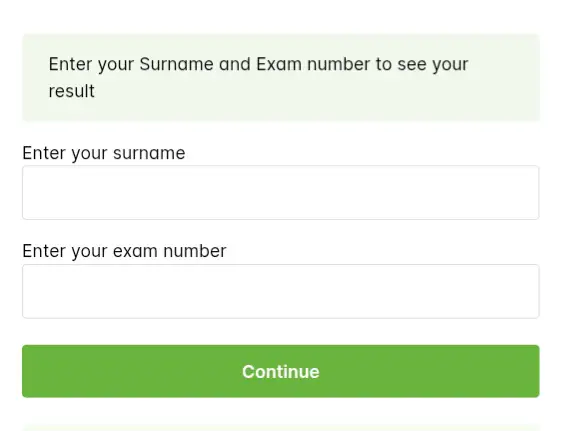
3. Enter exam number
Type in your exam number (gotten during your registration) into the second box.
4. Click “Continue”
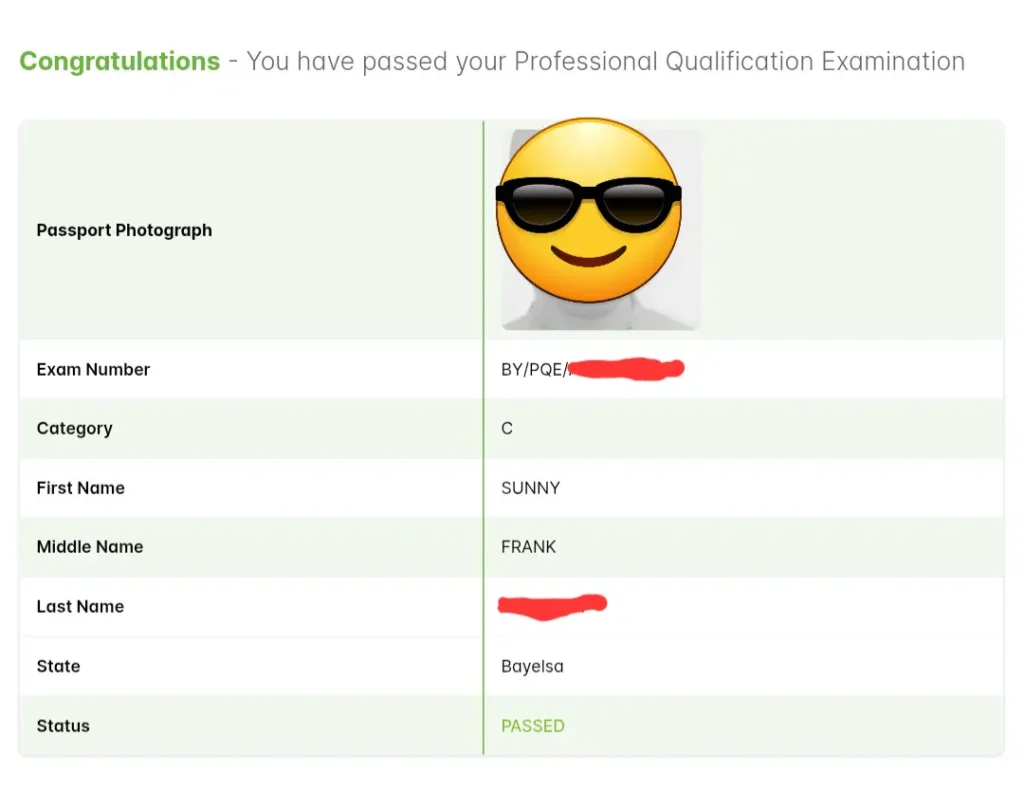
Click on the button and your result will display for you to see like this.
What next after checking?
“PASSED” status means you passed the TRCN exam and your next step is to APPLY FOR TRCN CERTIFICATE.
But if the result portal shows an error message, here are the reasons and how to resolve it.
Solution to TRCN result error message
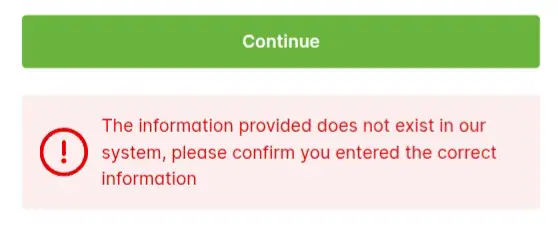
If your screen displays the above error message instead of your TRCN result, it could mean that:
- You entered your exam number wrongly.
- Your result is yet to be uploaded.
We advise you to visit the TRCN result checking portal again and re-enter your details but this time…
- do not leave any space before, within or after your exam number.
- do not type zero (0) as capital letter (O) or vice versa.
- do not mistake number one (1) for small letter (l) or capital letter (I) and vice versa.
If it still displays the same error message after taking the above precautions, maybe your result is yet to be uploaded.
Wait for a week or two and check again.
And if the error message remains after weeks, contact or visit any of the TRCN OFFICES NATIONWIDE.
GOOD LUCK.
Was this post helpful or do you have other enquiry on how to check TRCN result online? Let us know in the comments.


Leave a Reply